Animal Simulator Controls
Learn Q attack, Shift run, R sit, T rest, and G fly on PC攑lus the mobile button layout on the right side.
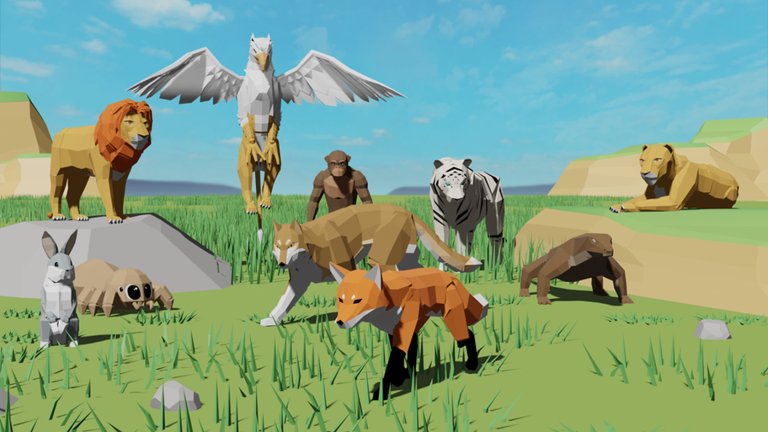
Clean inputs win more fights than fancy skins in Animal Simulator. Whether you play on keyboard or touch, you need attack, movement toggles, sit, rest, and flight (on supported animals) to feel natural before you chase coins, eggs, or Safe Zone boss lures. This page is the full controls reference for PC and mobile, with combat habits and UI tips that connect directly to leveling.
If you have not finished onboarding yet, pair this page with Getting Started. When inputs feel automatic, move on to level up fast routes.
PC controls
| Action | Default key | Notes |
|---|---|---|
| Attack | Q | Primary combat input for PvP, dummies, and bosses |
| Run / Walk toggle | Shift | Switch between sprinting travel and controlled walking |
| Sit | R | Idle pose; useful while waiting in the Safe Zone |
| Rest | T | Downtime emote/state while you plan the next route |
| Fly | G | Only on animals that support flight |
Movement uses standard Roblox WASD or arrow keys depending on your client settings. Camera control follows your Roblox camera mode攑ractice third-person orbiting around hay dummies so you can track targets without losing the attack button rhythm.
Attack cadence on PC
Tap Q with intent rather than mashing blindly. Early on, every hit awards experience using roughly [(1000 × exp multiplier) + player_level], so clean hits on dummies or bosses matter more than frantic inputs that desync your facing. Strafe along a target檚 flank while keeping the animal model pointed well enough for hits to register.
When you lure a boss to the Safe Zone, plant yourself fully inside the fence, then resume a steady Q rhythm. Stepping half outside to “reach” usually costs a huge chunk of health because boss damage is live again the moment you leave safety.
Shift, sit, and rest
Shift is your travel budget tool. Run between coin spawns; walk when precision platforming or tight castle halls matter. Sitting with R near the barn signals you are parked without logging out攗seful while packmates finish a pull. T rest covers longer idle moments. Neither sit nor rest replaces Safe Zone logic; they just keep your avatar intentional while you chat or watch a guide.
Flight with G
Press G on flying animals (eagles and other flight-enabled forms) to leave the ground plane. Flight is not only a traversal flexit is core to eagle egg routes, dense coin loops, and surviving boss travel. If G does nothing, you are on a ground-only animal; switch forms before you blame the keybind.
Practice takeoff and landing inside or just above the Safe Zone so your first real flight is not also your first crash into a high-level predator檚 path.
Mobile controls
On phones and tablets, Animal Simulator surfaces on-screen buttons along the right side for the same actions PC maps to keys. Exact icon art can change with UI updates, but the functional set mirrors PC:
- Attack button ?equivalent to Q
- Run / walk control ?equivalent to Shift
- Sit ?equivalent to R
- Rest ?equivalent to T
- Fly ?equivalent to G when the animal allows it
Thumb layout tips:
- Keep your attack thumb consistent so coin and dummy grinding stays rhythmic.
- Do not cover the attack button with the camera stick hand; claw or higher grip helps during boss burns.
- When flying, give yourself screen space攎obile cameras clip terrain more aggressively in tight caves and castle rooms.
If buttons feel tiny, adjust Roblox touch sensitivity and GUI scale in the client settings before a serious Dinosaur Castle run.
Combat tips that depend on controls
Face the target. Attacks that look cool while your back is turned often waste the swing. Re-orient with small camera nudges between Q presses.
Use the Safe Zone boundary as a skill check. Practice stepping in and out on dummies near the fence so muscle memory exists before a Lava Gorilla chase.
Swap animals for the job. Tanky lion, tiger, bear, or rhino forms forgive misclicks early. Switch to flyers when the route is about distance, not raw HP.
Do not AFK in the open. Sit and rest belong inside safe space. Open-map idling is free XP for someone else.
Pack callouts need free hands. On mobile, consider headphones and voice so you are not typing while a boss drifts off the fence. On PC, bind push-to-talk away from Q and Shift.
Reading health and damage UI
Your on-screen bars reflect the game檚 scaling rules of thumb: damage about 2× level, health about 20× level. Watching the bars teach faster than memorizing spreadsheets.
- If your health collapses in two hits, the opponent is far above your bracket攔etreat to the barn.
- If dummy hits barely move your EXP bar, you need coins or a multiplier discussion, not more panic PvP.
- During Safe Zone boss burns, your health should stay stable; if it is dropping, you are clipping outside the fence.
Learn where the EXP bar, health readout, and animal menu live on your device so you can hatch eggs at the Chicken NPC without hunting through UI mid-fight.
Training Area as a controls gym
The hay dummies in the Training Area are the best place to rehearse Q timing, camera orbit, and mobile thumb placement. They grant the same hit EXP formula as PvP, so practice is not wasted. Warm up for two minutes every session before coin routes. When controls feel automatic, your leveling time goes into pathing instead of missed swings.
Common control mistakes
- Holding sprint in narrow Dinosaur Castle halls and overshooting eggs.
- Forgetting flight is animal-gated, then assuming G is broken.
- Mashing attack while facing the wrong way during a boss park.
- Sitting outside the Safe Zone “for a second” and getting deleted.
- Covering mobile attack UI with the camera finger during chaotic pack fights.
Accessibility and comfort
Remap what Roblox allows if Q conflicts with another extension or habit, but keep attack on a finger you can spam sustainably for long boss burns. Take breaks攔epetitive Q sessions are real. On mobile, play charged; low-battery throttling makes flight and camera stutter feel like input lag.
Where to go next
Once attack, shift, sit, rest, and fly are muscle memory, return to progression systems: coin loops and Safe Zone bosses in level up fast, social targets and pack context on players, and the broader onboarding checklist in Getting Started. Controls are the foundation; the rest of the wiki is what you build on top when every press already does what you meant.
Frequently Asked Questions
Quick answers to the most common questions.
What are the PC controls in Animal Simulator?
Q attacks, Shift toggles run and walk, R sits, T rests, and G flies on animals that support flight. Movement uses standard Roblox WASD or arrows with your usual camera mode.
How do mobile controls work?
Mobile uses on-screen buttons on the right side of the screen that mirror PC actions: attack, run/walk, sit, rest, and fly when your animal can fly.
Why does fly (G) sometimes do nothing?
Flight is limited to animals that support it. Switch to an eagle or another flying form, then press G or tap the mobile fly button.
Should I practice on hay dummies?
Yes. Training Area dummies use the same hit EXP formula as PvP, so they are ideal for learning attack cadence and camera control without dying to high-level players.
How do health and damage scale?
As a rule of thumb, damage scales about 2× your level and health about 20× your level. Watch your UI barsif you melt instantly, retreat to the Safe Zone and pick softer targets.